/* jquery */ /* jquery accordion style*/ /* jquery init */
Showing posts with label Coding. Show all posts

Raspberry Pi Code Club - AI Projects

There is a new collection of entry-level Al coding tutorials on the Raspberry Pi Code Club website.

Each tutorial is designed to offer a gentle introduction to the fascinating world of machine learning via an easy-to-follow step-by-step process.

And these tutorials are applicable to most web-connected computing devices or platforms, including all Raspberry Pi boards.

Try My Free Python Coding Tutorials

Learn Python on the Raspberry Pi

A Gentle Introduction to Python Coding on the Raspberry Pi

The Raspberry Pi is a low cost educational computing platform specifically aimed at hardware and software experimentation.

This interactive tutorial is based on my multi-part Learn Python on the Raspberry Pi series for the Micro Mart magazine

Learn Python coding by hands-on experimentation, typing in the fully documented code examples and discover how to create many useful, educational and entertaining apps.

After each topic you'll know a little more about Python coding and the art of programming.

Python code runs on all Raspberry Pi boards and is also available for Windows, Mac OS X and Linux.

Here's the list of all the 45+ topics (now with more advanced subjects in section 7):

Part 1: Diving In
• Why Python?
• Which Python?
• Interactive Python
• Assigning Variables
• Using Functions
• Introducing Modules
• Your First Program

Part 2: Going Loopy
• Introducing Loops
• While Loops
• Timer App
• Running Timer
• For Loops
• File Walk App

Part 3: Building Blocks
• Program Structure
• Using Functions
• Creating Functions
• Guessing Game

Part 4: A GUI World
• GUI Windows
• GUI Code Structure
• GUI Event Handling
• Installing Tkinter
• Simple GUI App
• GUI File Search App

Part 5: Turtle Graphics Fun
• What is Logo?
• The Turtle Module
• Move That Turtle
• Draw In Colour
• Turtle Patterns
• Turtle Shapes
• Tom The Turtle
• Tom and Tim Stomp
• Python Turtle Graphics for 3D Printing

Part 6: PyGame Basics
• Why PyGame?
• PyGame Overview
• PyGame Installation
• PyGame Events
• PyGame Event Handling
• PyGame Colours
• PyGame Init Code
• PyGame Screen Drawing
• PyGame Complete App

Part 7: Python Math
• Python Math - math Module
• Python Math - Function Plotting
• Python Math - Complex Numbers
• Python Math - SageMath

Part 8: More Advanced Python Topics
• Python 2 to 3 Conversion Tips
• Python Turtle Graphics for 3D Printing
• Handling Python Exceptions
• Python Multi-core Processor Threads
• Understanding Web Server Python Scripts
• Python Scripting for Applications
• Python Mobile Apps with Kivy
• BottlePy Web Server - Tiny, Fast and Lightweight

Visit my Raspberry Pi page for news, reviews, advice and tutorials.

Pi Code Editor now Open Source

The Raspberry Pi Foundation showcased its Online Code Editor back in April 2023.

This lightweight browser-hosted editor, which works well even on low-power low-bandwidth devices, is ideal for anyone using coding tutorials, such as my Free Python Coding Tutorials.

Now, in August 2023, Pi Foundation has decided to open source the Code Editor project and encourages submissions and feedback from the Raspberry Pi community.

At this point it's unclear how the editor might evolve. However, we may see support for new coding languages to supplement the existing Python and HTML/CSS options.

Try My Free Python Coding Tutorials

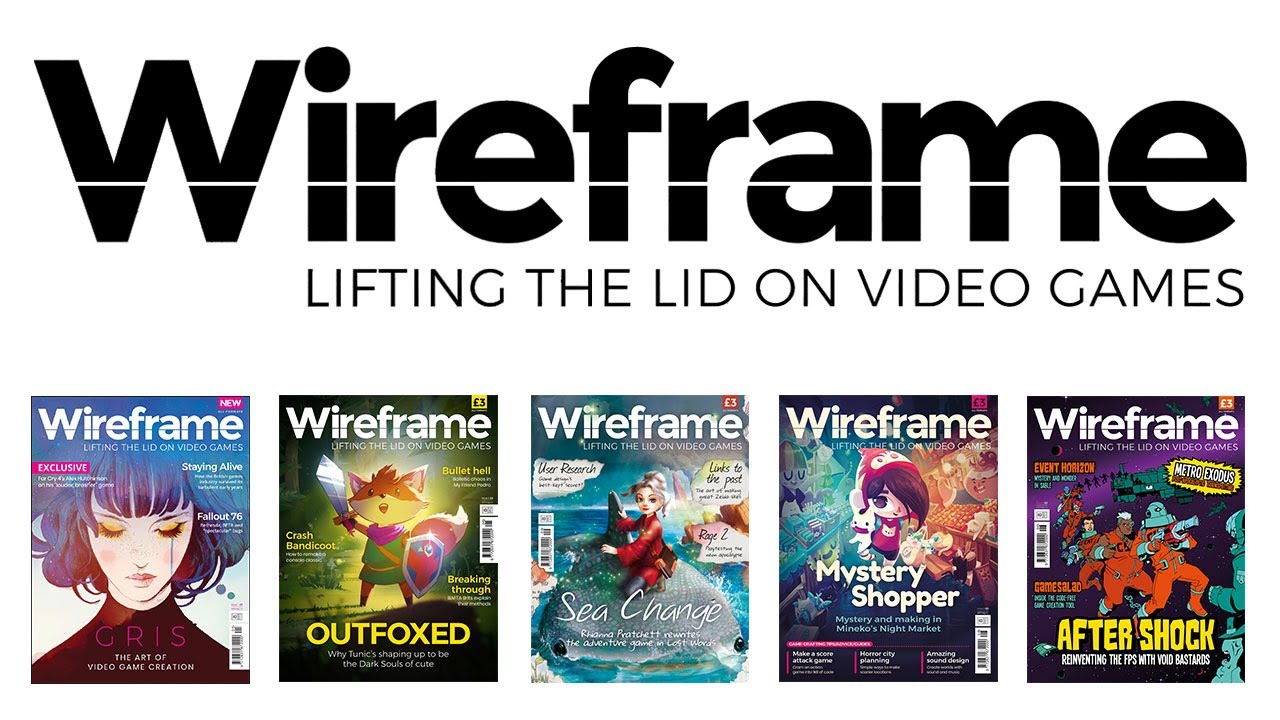
Wireframe Python Game Coding Series

Wireframe Magazine Issues

Published by Raspberry Pi Press the Wireframe magazine is aimed at the gaming enthusiast with news, reviews, insights and coding tutorials.

There's a free to download digital edition and a paper version available from high street outlets such as WH Smiths and a number of supermarkets.

Below I provide an issue-by-issue list of the Toolbox section's Source Code articles on game simulation coding with their downloadable Python source code - typically using the Pygame or Pygame Zero modules.

• Issue 47 - Recreate the classic Tron Light Cycle arcade game in Python.
• Issue 46 - Code a replica of the Pipe Mania Puzzzle Game and begin connecting pipes.
• Issue 45 - Recreate a Tiger-Heli Game simulation with its bomb dropping helicopter.
• Issue 44 - Code an Artillary-style Tank Game similar to Worms Game Series.
• Issue 43 - Race around a Namco Rally-X game road maze simuation.
• Issue 42 - Skip around a 3D cube pyramid with classic Q*bert game simuation.
• Issue 41 - Fly through the clouds in Konami’s Time Pilot free-srolling game simuation.
• Issue 40 - Recreate JetPac gameplay to build and fuel a rocket under hostile alien fire.
• Issue 39 - Atari's Gauntlet Game four character dungeon exploration situation.
• Issue 38 - Robotron: 2084 Game twin-joystick simultaneous move and shoot simulation.
• Issue 37 - Atari's Lunar Lander Game gravity, rocket thrust and orientation simulation.
• Issue 36 - Side Pocket Pool Game with ball aiming, movement and collision simulation.
• Issue 35 - Konami’s Hyper Sports Clay Pigeon Shooting single player game simulation.
• Issue 34 - Atari Marble Madness game course topology and rolling-physics simulation.
• Issue 33 - Sega Zaxxon arcade game simulation of its classic axonometric projection.
• Issue 32 - Kung-Fu Master arcade game character action movement.
• Issue 31 - Spy Hunter arcade game vertical scrolling road Car Driving simulation.
• Issue 30 - Recreate the Boulder Dash game with Caves of Gems and Falling Boulders.
• Issue 29 - Recreate Dong Nguyen's Flappy Bird game flight and Moving Pipes.
• Issue 28 - Turn-based combat coding a la Pokemon's Sword and Shield game.
• Issue 27 - Konami Frogger arcade game animation via Pygame Zero Actors
• Issue 26 - Phoenix arcade game Mothership recreation with armoured shields
• Issue 25 - Tile-matching game code inspired by Tetris and Candy Crush
• Issue 24 - Nintendo's Donkey Kong game tribute with rolling barrels
• Issue 23 - Daley Thompson Decathalon game inspired sprinting simulation
• Issue 22 - Konami's Scramble arcade game randomly generated scrolling landscape
• Issue 21 - Atari Super Sprint racing game overhead-view track navigation
• Issue 20 - Duck Hunt 2D shooting gallery game recreation using the mouse pointer
• Issue 19 - How to code game states and rules for any game
• Issue 18 - Sinclair ZX81 3D Monster Maze game navigable labyrinth recreation
• Issue 17 - Lemmings game automatic path-following behaviour coding
• Issue 16 - Gradius game ship-following drone-like Option sprite code
• Issue 15 - Ant Attack game map drawn using block images
• Issue 14 - Nintendo Donkey Kong game animated walk simulation
• Issue 13 - Gyruss game star field zooming effect
• Issue 12 - Bomberman game exploding bomb effects
• Issue 11 - Breakout playable game
• Issue 10 - Pang game ballon spawning simulation
• Issue  9 - Space Invaders playable game
• Issue  8 - BBC Micro and machine code
• Issue  7 - Super Mario game recreation of jumping physics
• Issue  6 - How to create as simple text adventure game
• Issue  5 - How to code a retro game type high-score tables
• Issue  4 - Atari Asteroids game thruster motion simulation
• Issue  3 - Moon Patrol game platform game 3-layer parallax scrolling simulation
• Issue  2 - Galaxian arcade game AI dive bombing aliens using 'ship' sprites
• Issue  1 - Defender arcade game particle explosion simulation

Try My Free Python Coding Tutorials

LEGO® SPIKE™ and MicroPython

LEGO® SPIKE™ is an education-level product from the LEGO® intelligent programmable hub/brick family.

LEGO® SPIKE™ simplifies the connection of motors and sensors - such as touch, distance-ultrasonic, and color/light - and provides a programming interface via the popular Scratch coding language.

LEGO® SPIKE™ brick/hub has six ports, a speaker, a 5x5 light matrix, a 6-axis gyroscope, Bluetooth wireless communication and a rechargeable battery.
The LEGO® SPIKE™ Prime kit adds motors, sensors and 525 technic-style bricks to create a rapid robotics development environment.

Interestingly, internally this intelligent brick/hub runs MicroPython. And, you can open a connection to a REPL session and enter commands to control the SPIKE™ brick/hub - as shown on the instructables website.

And now, with version the Education SPIKE™ 1.3 app update, LEGO® officially provide full language support for the Python Knowledge Base coding, as shown by the message below taken from a LEGO® SPIKE™ webpage.

LEGO® Education SPIKE™ Prime lets your students dip their toes into text-based coding with a beginner-friendly Python experience. Python is a coding language widely used in robotics and it lays a strong foundation for tackling more advanced topics like algorithms, data structures, machine learning, and artificial intelligence.

Python Math - SageMath

Python Coding

SageMath is a free open-source mathematics software system licensed under the GPL. Released in January 2020, SageMath 9.0 now runs on top of Python 3.0 programming langauge.

SageMath builds on top of many existing open-source packages, such as NumPy, SciPy, matplotlib, Sympy and many others. This powerful functionality is accessed through either a Python-based language or more directly using interfaces and wrappers.

By combining a math-like syntax with Python's coding capabilities SageMath can handle a large and diverse range of mathematical problems, including:

• Functions
• Basic Algebra
• Linear Algebra
• Calculus
• Polynomials
• Finite Groups
• Number Theory
• Plotting

More Python Math Coding

Python Math - Function Plotting

Python Coding

Python benefits from an impressive set of graphing packages. However, many of the most popular ones tend to be focussed on the data visualisation side of things rather than mathematics.

When it comes to plotting math functions consider an exploraion of the functionality provided by the matplotlib package. This mature package works runs on a wide range of operating systems and has some math-centric advantages.

For instance, matplotlib includes the pyplot interface, namely matplotlib.pyplot, which is a collection of functions that make matplotlib work like MATLAB.

It also plays nicely with other math packages, including NumPy. The code below uses both matplotlib.pyplot and numpy to plot sine and cos curves:

import matplotlib.pyplot as plt
import numpy as np

x = np.linspace(0, 10, 100)

plt.plot(x, np.sin(x))
plt.plot(x, np.cos(x))

Adding graph axis labels and a title is also sraightforward with pyplot, as shown below:

plt.xlabel('x values')
plt.ylabel('sin(x) and cos(x)')
plt.title('Plot of sin and cos')
plt.legend(['sin(x)', 'cos(x)'])
plt.show()

Importantly matplotlib has extensive collection of tutorial documentation pages covering the pyplot interface in addition to many other math-aligned applications, all with fully explained code examples.

In addition to the official documention a quick search of the web will unveil a plethora of matplotlib plotting code examples and links to diverse selection of real-world applications.

More Python Math Coding

Self-Replicating Python Code - Quines and Introns

Python Coding

Lex Fridman is well known for his in-depth AI-focussed interviews with some of the key people in artificial intelligence machine learning, software development and technology in general.

In a recent YouTube video post Lex explains how to write self-replicating Python code in the form of Quines and Introns.

Try My Free Python Coding Tutorials
Mars Rover for Micro:bit or Raspberry Pi Zero

JavaFX on Raspberry Pi

With all the excitement of the NASA Mars 2020 Mission launch on 30th July, maybe you fancy building your own Mars Rover vehicle.

Then take a look at the 4tronix MARS Rover Robot Kit.

The self-assembly kit is loosely based on the NASA/JPL Curiosity and Mars 2020 rover designand uses a similar rocker arm, bogey and differential arm mechanism.

It can be controlled with either a Micro:bit or Raspberry Pi Zero and comes complete with coding support for both these boards.

MARS Rover Robot Kit features include:
• 6 Motors - 80 rpm 6V, N20 micro gear motors
• 4 Servos - MG90S metal gear analog micro servos
• 4 Fire LEDS
• Ultrasonic distance sensor on steerable mast
• 30 special PCBs
• 11 different PCB designs

JavaFX Coding on Raspberry Pi

JavaFX on Raspberry Pi

In the July Java Magazine there's a tutorial-style article on JavaFX programming with the Raspberry Pi.

In this tutorial Frank Delporte explores a maker-style project and explains everything from first principles including Java installation, multiple code listings, GPIO introduction, the electronic components inventory list, circuit diagrams and much more.

If this article make you hungry for more Raspberry Pi Java and JavaFX coding material then check out Frank's book 'Getting Started with Java on the Raspberry Pi', which is available in both paper or ebook formats.

Linux Format Python Game Coding

Interested in how to code Classic Games in the Python language?

Then check out Calvin Robinson's series of articles in the Linux Format magazine (LXF).

The series so far includes:
• Issue 262: a Lunar Lander game
• Issue 263: a Platform-style game
• Issue 264: a 2D Top Down Perspective Shooter game
• Issue 265: a Space Invader game

Back issues of the Linux Format magazine are available from the LXF Archive webpage and you can also download source code listings for all coding articles.

Try My Free Python Coding Tutorials
Inspirational Java Applications

Are you interested in taking your Java coding skills to a higher level?

Are you wondering what can be achieved using the Java language?

An recent article in the Free Java magazine lists 25 of the most significant Java projects over the last few decades.

Here's a little taste of some of these projects:

• The Maestro Mars Rover Controller
• Java Mission-planning and Analysis for Remote Sensing (JMARS)
• Wikipedia Search has a Java coded search engine
• Minecraft, the classic blocks-building game
• The Integrated Genome Browser visualisation tool
• VisibleTesla enables owners to monitor and control aspects of the Tesla Model S

Java 11 Coding on the Raspberry Pi

Java on Raspberry Pi

In the latest MagPi magazine issue #93 there's an article by Frank Delporte on the Java programming language.

The topic is Get Started with Java and Electronics and it's a great introduction to beginning to use the Java OpenJDK 11 - as included with the Raspberry Pi Raspbian operating system.

The article's code examples start with a 'Hello World' class, then move on to interfacing with the Raspberry Pi GPIO pins for developing electronics projects.

For the best Java coding experience you'll ideally need a Raspberry Pi 4 with as much memory as possible - 4GB would be best.

More LEGO® Boost Python Coding

As my original LEGO® Boost kit and Python coding post has received quite a number of page views I thought I'd post some additional information on this topic.

Andrey Pokhilko

I recently came across Andrey Pokhilko and his YouTube video (below). In this video he talks about his own LEGO® Boost Robotics construction and coding project, along with a demonstration of Vernie's capabilities plus a custom power pack hack.

To view Andrey's Python code examples navigate over to his GitHub resources page.

Mikhail Zakharov

I also noticed Mikhail Zakharov has added Python coded Voice Command Control to his own LEGO® Boost Vernie project.

Mikhail's Python source code can be found on his GitLib resources page.

Try My Free Python Coding Tutorials

PyCon 2020 - Online Content

With the current global lockdown events like PyCon US 2020 have been cancelled.

However, you can still access plenty of Python technology news and information for free by subscribing to PyCon online./p>

Options include receiving email notifications and watching the PyCon 2020 YouTube Channel.

Content includes:
• Recorded talks and tutorials
• Online Summit and Hatchery programs
• Poster presenters sharing their creations
• Startup Row company presentations
• Sponsor workshop videos and job postings

Try My Free Python Coding Tutorials

Java 14 Insights

A recent issue of Oracle's monthly Java Magazine highlights the latest edition of the Java programming language - namely version 14.

The magazine's articles highlight the essential functionality of Java 14 programming, including the new features and its Java Flight Recorder.

The Java Magazine can be read for free in HTML form. And each article is also available as a PDF download.

Read all my Java Coding posts

Free Raspberry Pi GUI Coding Course

Do you want to learn how to build your own Graphical User Interface (GUI) with GuiZero?

Well, with this free Google supported GUI course learn how to incorporate interactivity into your apps by experimenting with different types of interface widgets - such as buttons and text boxes.

Topics covered include:
• Design with boxes and auto or grid layouts
• Responding to user inputs using events
• Reading and modifying the widget properties
• Handling time-based events
• User optimisation techniques
• Splitting projects into manageable chunks

Try My Free Python Coding Tutorials

Python Coding on Android with QPython

Would you like to write Python code on your android smart phone or tablet?

Well you can by using the free Google Play downloadable app QPython. In fact there are two variants of QPython. The basic one supports the older but better supported version 2.7, while QPython3 supports the newer version 3 of the language.

With QPython you can do mathematical calculations, perform decisions and branching, define loops, create lists, write functions and even develop your own Python modules.

QPython has both an interactive console mode for instant coding results, plus a built-in editor to create ‘.py’ files. These ‘.py’ files can be executed directly on the Android smartphone or tablet, or transferred to another device, such as the Raspberry Pi or anyWindows or Mac or Linux computer.

Try My Free Python Coding Tutorials

'Hello World' Raspberry Pi magazine

Raspberry Pi

Are you involved with digital computing education? Do you help out with your local coding club?

Then you might be interested in a Raspberry Pi Foundation magazine called Hello World.

Hello World is a free to download magazine aimed at the computing and digital maker educational community. Each issue is filled with interesting and innovative ideas for lessons and projects to energise your classroom or coding club meetings, plus practical teaching tips on curriculum-based activities, lesson formats, coding languages, software tools and maker kits.

To find out more and view the full list of issues visit helloworld.cc website, where you can also activate your magazine subscription.

And don't forget to check out the Raspberry Pi Foundation's other publications, such as its classic MagPi magazine.

Try My Free Python Coding Tutorials

Try My Free micro:bit MicroPython Coding Tutorials

Raspberry Pi 4 - Out Now

Raspberry Pi

The powerful new Raspberry Pi 4 Model B is available to buy right now.

In real world usage it'll be 2x or 3x quicker than a Pi 3, with upgraded graphical performance and the latest USB ports.

Here's a quick summary of the key features:

• faster 1.5GHz 64-bit quad-core ARM CPU built with 28nm technology
• 1GB/2GB/4GB RAM options with 100% more bandwidth speed
• support for dual 4K resolution displays
• a USB-C power connector (issue with e-marked Apple-like cables)
• a much faster internal SD-CARD data interface
• a USB-C power connector
• two fast USB-3 connectors for external data storage
• true Gigabit Ethernet for faster networking
• WiFi dual-band 802.11 b/g/n/ac
• Bluetooth 5 BLE wireless communications

Discover the Raspberry Pi